← Back to all browser games
Racing

PolyTrack

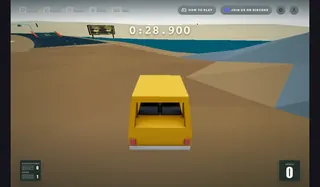
Chase quicker laps through loops and jumps in Kodub’s browser racer. PolyTrack offers time trials, ghost comparisons and a track editor; rivals’ ghosts are separate runs.

PolyTrack — Kodub / poki.com

Prepare to play

Mobile project

Primary · poki.com

Open the game in your browser.

Open the Poki browser edition and allow its game resources to load. Follow the host’s play and privacy prompts; no personal game files are requested. Desktop and mobile browsers are listed by the publisher.

Check the original project’s game-file requirements before starting.

Keyboard · Touchscreen

Touch controls are available.

Check the game’s mobile browser requirements and performance limits.

Original project
Open game siteOpens the original project in a new tab.
0 Historical popularity

Report a problem

PolyTrack

Tell us what happened at this game entry. Reports are saved privately for review.

https://poki.com/en/g/polytrack

Up to 1,000 characters. Do not include personal information.

Before you play

Chase quicker laps through loops and jumps in Kodub’s browser racer. PolyTrack offers time trials, ghost comparisons and a track editor; rivals’ ghosts are separate runs.

Version note

Kodub · Poki browser edition. Play, privacy choices and progress are handled by the linked host; review its save options before clearing browser data.


How to get started
  1. Choose a track on Poki and start with a clean lap before chasing a ghost time.
  2. Retry a troublesome corner or checkpoint, then compare the finish time. Use the editor separately to build a track.
Controls

Drive with WASD or arrows. T restarts the run; R returns to a checkpoint, C changes view and Space pauses. On phones, use the on-screen driving controls.

KeyboardTouchscreen

Questions before you play

Which browser edition does this link open?

Chase quicker laps through loops and jumps in Kodub’s browser racer. PolyTrack offers time trials, ghost comparisons and a track editor; rivals’ ghosts are separate runs.

What do I need before playing?

Open the Poki browser edition and allow its game resources to load. Follow the host’s play and privacy prompts; no personal game files are requested. Desktop and mobile browsers are listed by the publisher.

Where is progress saved?

Kodub · Poki browser edition. Play, privacy choices and progress are handled by the linked host; review its save options before clearing browser data.

Sources & project instructions

Game information & instructions
PolyTrackMobile project

Open the game in your browser.

Open the Poki browser edition and allow its game resources to load. Follow the host’s play and privacy prompts; no personal game files are requested. Desktop and mobile browsers are listed by the publisher.

Check the original project’s game-file requirements before starting.

Check requirements
Open game site