← Back to all browser games
Strategy

Warcraft II: Tides of Darkness

Blizzard’s classic land-and-sea strategy game, presented by dos.games through a DOS browser player. Follow the selected host edition’s startup and save instructions.

Warcraft II: Tides of Darkness — Blizzard Entertainment; hosted by dos.games / dos.games

Prepare to play

Desktop

Primary · dos.games

Open the game in your browser.

Use a desktop browser with a keyboard and mouse and let the host’s DOS resources load. Original LAN features do not prove this browser edition’s multiplayer will connect.

Check the original project’s game-file requirements before starting.

Original project

Use a computer with the game’s recommended controls.

Browse phone games
Open game siteOpens the original project in a new tab.
0 Historical popularity

Report a problem

Warcraft II: Tides of Darkness

Tell us what happened at this game entry. Reports are saved privately for review.

https://dos.games/warcraft-ii-tides-of-darkness

Up to 1,000 characters. Do not include personal information.

Before you play

Blizzard’s classic land-and-sea strategy game, presented by dos.games through a DOS browser player. Follow the selected host edition’s startup and save instructions.

Version note

Blizzard Entertainment; hosted by dos.games · dos.games. The linked project handles game progress and privacy choices. Saving this guide does not back up your game.
How to get started
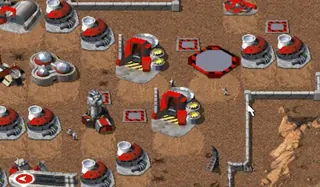
  1. Open the host page and choose Play in browser.
  2. Follow the DOS startup menu, then choose a single-player campaign and check save options before leaving.
Controls

Use the player’s keyboard and mouse prompts and the in-game command buttons. Select units and orders using the game interface; read the host’s special-key panel for emulator shortcuts.

Questions before you play

Which edition opens here?

Blizzard’s classic land-and-sea strategy game, presented by dos.games through a DOS browser player. Follow the selected host edition’s startup and save instructions.

What should I prepare?

Use a desktop browser with a keyboard and mouse and let the host’s DOS resources load. Original LAN features do not prove this browser edition’s multiplayer will connect.

Does saving this guide save my game?

Blizzard Entertainment; hosted by dos.games · dos.games. The linked project handles game progress and privacy choices. Saving this guide does not back up your game.
Read before playing

Browser Game Saves: Back Up Progress Before Switching Devices

Sources & project instructions

Game information & instructions
Warcraft II: Tides of DarknessDesktop

Open the game in your browser.

Use a desktop browser with a keyboard and mouse and let the host’s DOS resources load. Original LAN features do not prove this browser edition’s multiplayer will connect.

Check the original project’s game-file requirements before starting.

Check requirements
Open game site