← Back to all browser games
Strategy

Hero's Hour

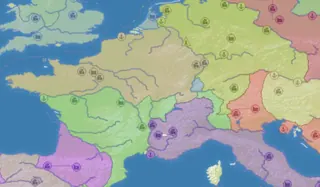
Explore maps, develop a town and lead armies in the GX.games browser version of Hero’s Hour. The current anonymous game menu is labeled DEMO; available content and save options depend on the linked host.

Hero's Hour — goblinzpublishing / GX.games

Prepare to play

Desktop

Primary · gx.games

Open the game in your browser.

Open the GX.games browser edition and allow its resources to load. Follow the host’s play and privacy prompts. Use a desktop browser unless the entry explicitly documents phone controls; no personal game files are requested.

Check the original project’s game-file requirements before starting.

Keyboard · Mouse

Original project

Use a computer with the game’s recommended controls.

Browse phone games
Open game siteOpens the original project in a new tab.
0 Historical popularity

Report a problem

Hero's Hour

Tell us what happened at this game entry. Reports are saved privately for review.

https://gx.games/games/8x6wvo/hero-s-hour-strategy-roleplaying-game/

Up to 1,000 characters. Do not include personal information.

Before you play

Explore maps, develop a town and lead armies in the GX.games browser version of Hero’s Hour. The current anonymous game menu is labeled DEMO; available content and save options depend on the linked host.

Version note

goblinzpublishing · GX.games browser edition. Play, privacy choices and progress are handled by the linked host; review its save options before clearing browser data.

How to get started
  1. Open the publisher’s GX.games release on a desktop browser and follow its Continue/play prompts.
  2. Review the tutorial and controls before selecting a map or managing the first town.
Controls

The publisher lists keyboard and mouse input. Open the host’s Controls panel and the in-game tutorial for the current map, town and combat bindings; exact key mappings are not listed in the source text.

KeyboardMouse

Questions before you play

Which browser edition does this link open?

Explore maps, develop a town and lead armies in the GX.games browser version of Hero’s Hour. The current anonymous game menu is labeled DEMO; available content and save options depend on the linked host.

What do I need before playing?

Open the GX.games browser edition and allow its resources to load. Follow the host’s play and privacy prompts. Use a desktop browser unless the entry explicitly documents phone controls; no personal game files are requested.

Where is progress saved?

goblinzpublishing · GX.games browser edition. Play, privacy choices and progress are handled by the linked host; review its save options before clearing browser data.

Sources & project instructions

Game information & instructions
Hero's HourDesktop

Open the game in your browser.

Open the GX.games browser edition and allow its resources to load. Follow the host’s play and privacy prompts. Use a desktop browser unless the entry explicitly documents phone controls; no personal game files are requested.

Check the original project’s game-file requirements before starting.

Check requirements
Open game site