Before you play
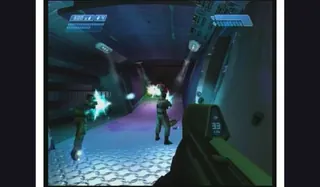
This Halo: Combat Evolved entry opens Mitchell Hynes’s community browser project. Halo CE Mobile has a separate destination; compare both in the Halo collection.
How to get started
- The collected /halo link now opens Combat Lab. Wait for its runtime and read Bring your own disc; choose Choose XISO only with a compatible image made from a disc you own.
- Allow the local import to finish. The site states that imported files remain in this browser; switching profiles does not carry them over.
- Click Focus game for mouse input. Use the displayed keyboard/controller mapping. Play online offers map and mode selection; follow the chosen room’s connection prompts.
Controls
Combat Lab lists WASD for movement and Mouse for aiming. Space maps to A, F to B, E/R to X, Tab/Wheel to Y and Esc to Start. Click Focus game to capture the pointer.
Questions before you play
Why does the link say Combat Lab?
Mitchell Hynes’s collected /halo URL redirects to /combat-lab/. It is independently maintained and still asks for your own compatible XISO. HCEMobile remains a different destination.
Does importing my disc back up my progress?
No. The host says imported game files remain in this browser; that is different from a saved-game backup. Keep the original disc image separately and consult the host for progress-export options.
Can I use HCEMobile’s setup interchangeably with this Halo CE entry?
The desktop Mitchell Hynes project and HCEMobile have separate destinations and data-import instructions. Read the selected project’s image-format and device requirements before importing your own game data.