PC & console games in your browser
Compare Quake, Vice City, LEGO Island, Minecraft Classic, Cricket 07 and DOS classics. Find original projects, versions, controls and game-file requirements.
All games10
More filters
Control filters show projects with documented support.
10 games found
A Vice City WASM project using your own game data.Your own game files requiredRead full hook and conditions
A Vice City WASM project using your own game data.
Prepare game.tar.gz from your own legitimate Vice City data.
Original project
Build with blocks in the original Classic.Read full hook and conditions
Build with blocks in the original Classic.
Find your kind of game.
Choose the experience you want
Choose a project by the exact game and the way it runs. Browser ports and recompilations run rebuilt code; the DOS entries below use browser emulation. These are different from cloud services that stream a game from a remote computer.
- Quake
Browser engine port · PC · Ready to start · Not documented
The arena classic, rebuilt for browser multiplayer. Fast movement. No installation.
Sources & project instructions - GTA: Vice City Project
Browser engine port · PC · Bring game files · Not documented
A Vice City WebAssembly project requiring game.tar.gz prepared from your own game data.
Sources & project instructions - Quake II
Browser engine port · PC · Project instructions · Not documented
Another entry in the Quake browser collection. Explore the project’s supported modes.
Sources & project instructions - Quake III
Browser engine port · PC · Project instructions · Not documented
The arena shooter’s community browser project, with a focus on fast action.
Sources & project instructions - Cricket 07
Rebuilt game code · PC · Project instructions · Keyboard
Find Dhaiwat’s Cricket 07 browser project, choose Lite or Regular, and read its desktop controls, first-download and game-data requirements.
Sources & project instructions - LEGO Island
Browser engine port · PC · Ready to start · Not documented
Explore the 1997 LEGO Island through the isle.pizza open-source browser recreation. This project brings the island adventure to the web; it is separate from later LEGO games.
Sources & project instructions - Minecraft Classic
Official browser edition · PC · Ready to start · Keyboard / Mouse
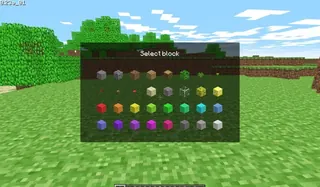
Mojang’s browser release revisits Minecraft’s 2009 creative building experience with 32 blocks. It requires a keyboard and a browser with WebGL and WebRTC; it is not current Java or Bedrock Edition.
Sources & project instructions - DOOM
Browser emulation · PC · Ready to start · Not documented
Find the 1993 DOOM browser entry hosted by DOS.Zone. It opens a DOS game player with a fullscreen option; the host also provides a separate multiplayer link.
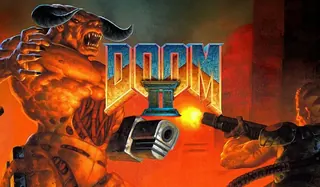
Sources & project instructions - DOOM II
Browser emulation · PC · Ready to start · Not documented
DOS.Zone hosts a separate browser entry for the 1994 DOOM II. Use this sequel’s player and settings rather than the original DOOM page; multiplayer has its own host link.
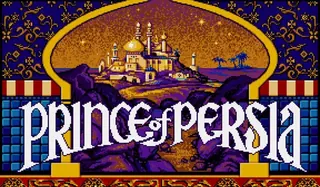
Sources & project instructions - Prince of Persia
Browser emulation · PC · Ready to start · Not documented
This browser entry points to the classic DOS Prince of Persia hosted by DOS.Zone. Use its player for the timed platforming adventure; it is separate from later games in the series.
Sources & project instructions
No traditional installation does not mean no download. Players still load code and game resources. Vice City asks for your own prepared game.tar.gz; Minecraft Classic is the early 32-block creative release. Read each project’s own input and storage instructions before starting.
Before you choose
Are all these projects the full game and playable on a phone?
Versions, available content and controls differ. A desktop keyboard project is not automatically a touch game. Choose by the specific edition and its original instructions; browser access does not include a purchase or transfer your saves.
Know a browser game we should add?