Before you play
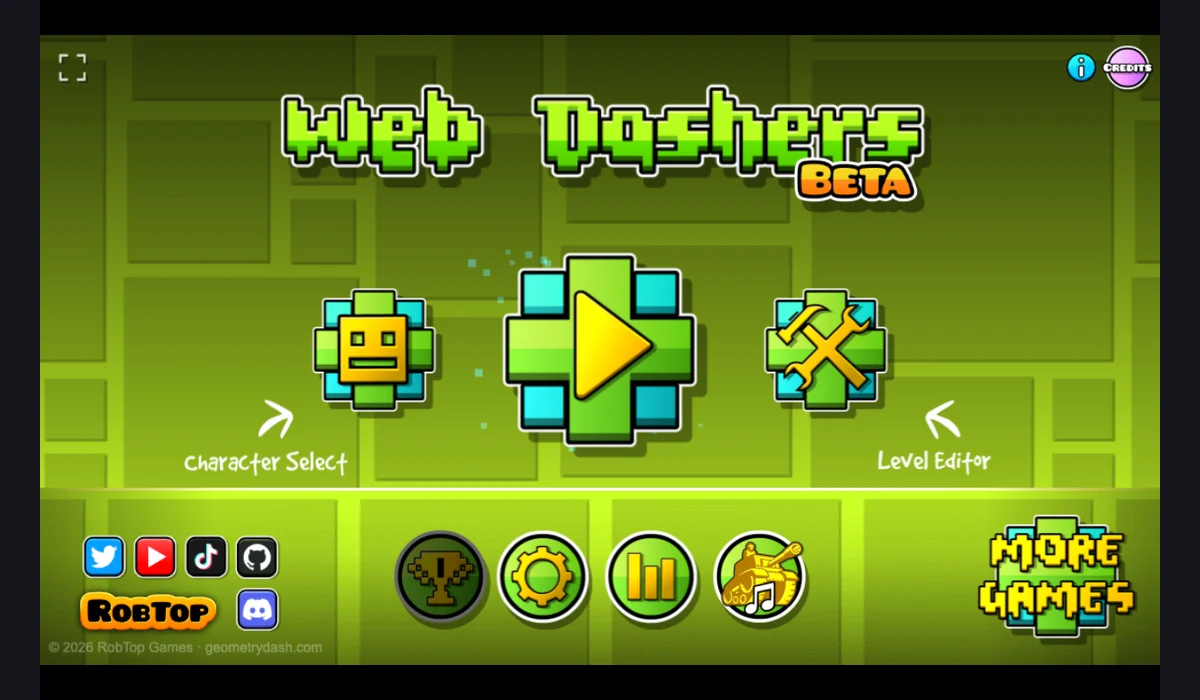
Explore a fan-made Geometry Dash browser project with a local level menu and a level editor. The project currently labels itself Beta.
Fan-made Beta project. The menu loads, but online service errors were observed on October 12, 2026. A loaded menu does not establish working online levels or a complete playable session.
How to get started
- Open the project and read its Beta/update notice before closing the notice.
- Choose a local level from the play menu; check its instructions before relying on online level search or account features.
What you need
Ready to startThe browser menu loads without signing in. Account, online levels and save persistence were not verified. An online account request failed with a CORS error during the October 12 check.
Controls
Use the on-screen buttons to open play, character selection and the editor. Exact in-level keyboard and touch mappings have not been verified; consult the project’s level instructions.
Questions before you play
Do I need an account, and is progress saved?
The browser menu loads without signing in. Account, online levels and save persistence were not verified. An online account request failed with a CORS error during the October 12 check.
What are the current limitations?
Fan-made Beta project. The menu loads, but online service errors were observed on October 12, 2026. A loaded menu does not establish working online levels or a complete playable session.