← Back to all browser games
Action

Space Waves

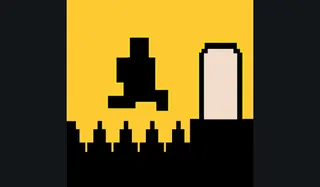
Guide an arrow through narrow obstacle courses in do.games’ Space Waves. Holding and releasing a single input changes its height; start with the tutorial before harder courses.

Space Waves — do.games / www.crazygames.com

Prepare to play

Mobile project

Primary · www.crazygames.com

Open the game in your browser.

Open the CrazyGames browser edition and allow its game resources to load. Follow the host’s play and privacy prompts; no personal game files are requested. Desktop and mobile browsers are listed by the publisher.

Check the original project’s game-file requirements before starting.

Keyboard · Mouse · Touchscreen

Touch controls are available.

Check the game’s mobile browser requirements and performance limits.

Original project
Open game siteOpens the original project in a new tab.
0 Historical popularity

Report a problem

Space Waves

Tell us what happened at this game entry. Reports are saved privately for review.

https://www.crazygames.com/game/space-waves

Up to 1,000 characters. Do not include personal information.

Before you play

Guide an arrow through narrow obstacle courses in do.games’ Space Waves. Holding and releasing a single input changes its height; start with the tutorial before harder courses.

Version note

do.games · CrazyGames browser edition. Play, privacy choices and progress are handled by the linked host; review its save options before clearing browser data.

How to get started
  1. Select the tutorial or an easier course on CrazyGames.
  2. Alternate holds and releases to thread the obstacles; retry the same section to learn the timing.
Controls

Hold left mouse, W or Space to rise; release to descend. P pauses. On mobile, hold the screen to rise and release to descend.

KeyboardMouseTouchscreen

Questions before you play

Which browser edition does this link open?

Guide an arrow through narrow obstacle courses in do.games’ Space Waves. Holding and releasing a single input changes its height; start with the tutorial before harder courses.

What do I need before playing?

Open the CrazyGames browser edition and allow its game resources to load. Follow the host’s play and privacy prompts; no personal game files are requested. Desktop and mobile browsers are listed by the publisher.

Where is progress saved?

do.games · CrazyGames browser edition. Play, privacy choices and progress are handled by the linked host; review its save options before clearing browser data.
Sources & project instructions

Game information & instructions
Space WavesMobile project

Open the game in your browser.

Open the CrazyGames browser edition and allow its game resources to load. Follow the host’s play and privacy prompts; no personal game files are requested. Desktop and mobile browsers are listed by the publisher.

Check the original project’s game-file requirements before starting.

Check requirements
Open game site