Before you play
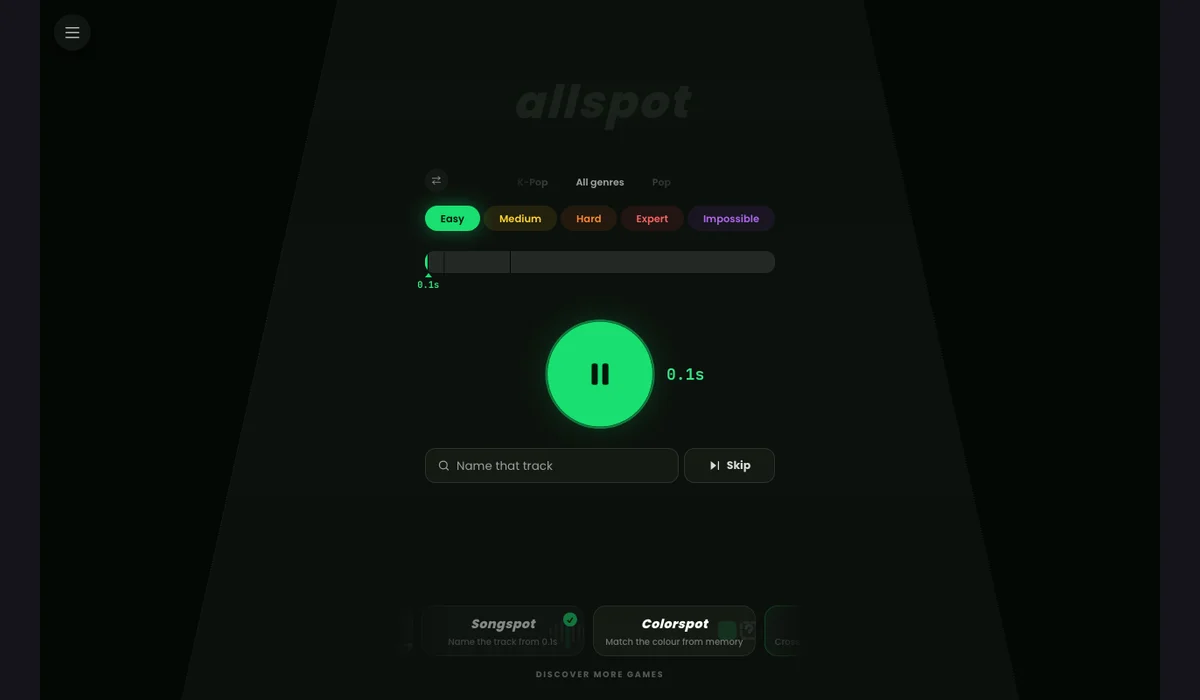
Identify a song from a short audio preview, beginning at 0.1 seconds. Select a difficulty, genre or era in Songspot’s browser music quiz.
The quiz interface and track replacement were checked on October 12, 2026. One track had no preview; a replacement enabled Play. A completed scored round and audible playback remain unverified.
How to get started
- Open songspot.net, dismiss any announcement and choose a difficulty.
- Play the preview, type a song title and choose a search result. Skip to reveal more audio, or choose New song when no preview is available.
What you need
Ready to startThe site documents account-free play on phones and computers. It describes repeat rounds and a streak between visits; cross-device progress was not verified. Audio previews depend on the chosen track.
Controls
Press Play to hear the current clip, enter a song title in Name that track and select a result. Skip lengthens the clip; New song replaces a track with no usable preview.
Questions before you play
Do I need an account, and is progress saved?
The site documents account-free play on phones and computers. It describes repeat rounds and a streak between visits; cross-device progress was not verified. Audio previews depend on the chosen track.
What are the current limitations?
The quiz interface and track replacement were checked on October 12, 2026. One track had no preview; a replacement enabled Play. A completed scored round and audible playback remain unverified.